

Automatically synchronizes your PC's clock with internet time servers for accurate timekeeping
Automatically synchronizes your PC's clock with internet time servers for accurate timekeeping
Vote (6 votes)
Program license Free
Developer Keir
Version 1.07
Works under Windows
Vote
(6 votes)
Developer
Keir
Works under
Windows
Program license
Free
Version
1.07
Pros
- Very small, portable, and resource-efficient
- Simple, user-friendly interface
- Automatic sync and exit options
- No installation required
Cons
- Accuracy limited to one second due to protocol
- Lacks advanced features like multiple time zone or detailed scheduling
- No option for using NTP for higher accuracy
Lightweight utility for synchronizing your PC clock with internet time servers.
Overview
Neutron is a compact application designed to keep your Windows computer's system clock synchronized with dedicated internet time servers. Focused on simplicity and low resource usage, it quickly fetches the precise time over a network and updates your system, ensuring your clock stays accurate without unnecessary complexity.
Features and Functionality
Neutron communicates with multiple time servers using the standard Time protocol (commonly via TCP or UDP on port 37, as described in RFC 868). The software retrieves the current time, calculated in seconds since January 1st, 1900, then adjusts your computer’s internal clock. While the time protocol allows only second-level precision, the application typically keeps the system time within about half a second of the official standard, which suffices for everyday usage.
Configuration options include:
- Automatic synchronization at program startup
- Selection of preferred network time server
- Option to close Neutron automatically after performing synchronization
This makes it practical for placing in the Windows startup folder, allowing the clock to update automatically when the machine boots.
Interface and Usability
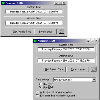
Neutron opts for a minimal interface with a simple dialog box—there are no unnecessary graphics or menus to navigate. The small executable footprint ensures quick launch and negligible impact on system performance, even on older hardware. No installation is required, making it portable and convenient for use from external drives or for users who prefer lightweight tools.
Performance and Reliability
The synchronization process is swift, generally taking just a few seconds depending on network conditions. Neutron calculates potential network delays to improve accuracy. Because it uses the basic Time protocol, it avoids the complexity of more advanced NTP (Network Time Protocol) clients, making it particularly suitable for users who need a no-frills, reliable solution.
Limitations
The primary limitation is its reliance on the Time protocol, which restricts accuracy to the nearest second—adequate for most users but potentially insufficient for applications requiring millisecond precision. The program also lacks advanced scheduling, logging, or multiple time zone support.
Conclusion
Neutron is a straightforward and effective solution for keeping your system clock accurate. Its lightweight design, ease of use, and automatic features make it an excellent choice for users who prioritize efficiency over extra features.
Pros
- Very small, portable, and resource-efficient
- Simple, user-friendly interface
- Automatic sync and exit options
- No installation required
Cons
- Accuracy limited to one second due to protocol
- Lacks advanced features like multiple time zone or detailed scheduling
- No option for using NTP for higher accuracy

